Social sign-in
Docs version v1 (main)Nauthera is pre-1.0, in a design-partner programUpdated
A client can offer the organization's identity providers on its sign-in and sign-up
screens. Each provider is offered for sign-in, for sign-up, or both, and only the providers
a client offers appear. A provider is any OpenID Connect provider, such as Google, Entra ID
or Okta, or GitHub, which signs in with
OAuth 2.0 and its user API instead of an ID token. Providers are created with an
IdentityProvider resource or
nauthera-cli create identity-provider, and offered with
create client --identity-provider <slug>[:.
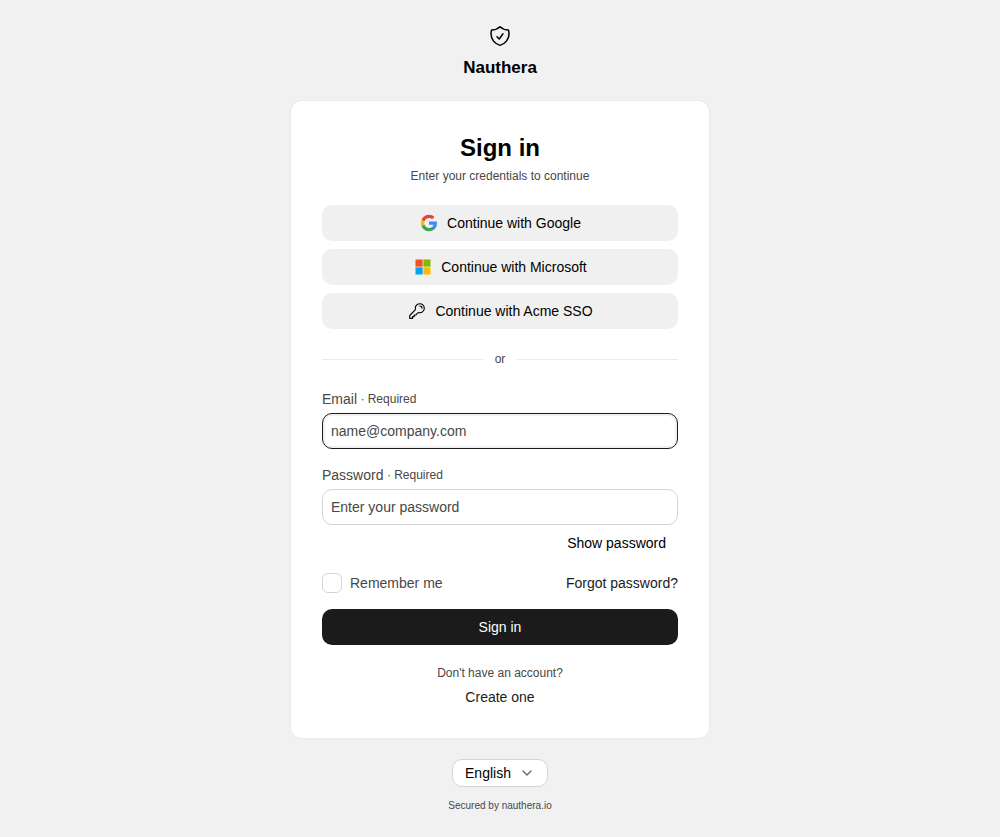
The clicked button spins and the others are disabled while the browser leaves for the provider. Coming back signed in, the flow continues like a password sign-in: email verification where the organization requires it, a second factor, consent, then the application.
Which account it signs in to
- An upstream account linked before signs in to the account it is linked to.
- Otherwise, an account in the organization with the same address is linked only when
the provider is trusted for email (
trustEmail), the provider says the address is verified, and the account has verified it too. Any other match is refused, so an address someone registered ahead of its owner cannot be taken over. - With no matching account, a new one is created when the client offers the provider for sign-up and the organization takes sign-ups. Its address counts as verified when the provider is trusted for email and says so.
With allowedEmailDomains set on the provider, only an ID token with a verified address in
one of those domains is admitted, linked accounts included. Administrators see a user's
linked upstream accounts in the dashboard and on
GET /.
The provider's second factor
A user who holds a second factor here answers it after coming back, as after a password,
unless the policy spares this sign-in.
A provider trusted for multi-factor sign-in (trustMfa) can stand in for it: when its ID
token's amr holds mfa, or its acr is one of the provider's mfaAcrValues, the user
is not asked again, and the session records amr mfa and acr aal2 as a second factor
here would. The audit record names the claim that vouched for it (upstream_mfa).
A provider that reports nothing about how its user signed in, such as Google or GitHub,
cannot vouch. With spareSecondFactor on the provider, a sign-in through it skips the
second factor anyway: no challenge and no enrolment, whatever the policy requires. The
session is single-factor (amr fed, no mfa), and the audit record says
mfa_. Without either setting, a new account signed up through
the provider is sent to set up a factor where one is required.
When it comes back unfinished
The user lands on the sign-in screen of the same application, with the request intact and a banner saying why. The password form still works.
| Reason | Banner |
|---|---|
| The provider failed or could not be reached | Signing in with that provider didn't work. Try again, or sign in another way. |
| The client does not offer that provider | This app doesn't allow signing in with that provider. |
| The address's domain is not admitted | Accounts with this email address can't sign in with that provider. Use an account from your organization. |
| An account with that address already exists and cannot be linked | An account with this email address already exists. Sign in with your password. |
| No account, and sign-up is closed (or the provider sent no address) | No account uses this email address, and new accounts can't be created here. |
| The account is suspended or blocked | This account is unavailable. Contact your administrator. |
| The address must be verified first | This email address must be verified before you can sign in with that provider. |
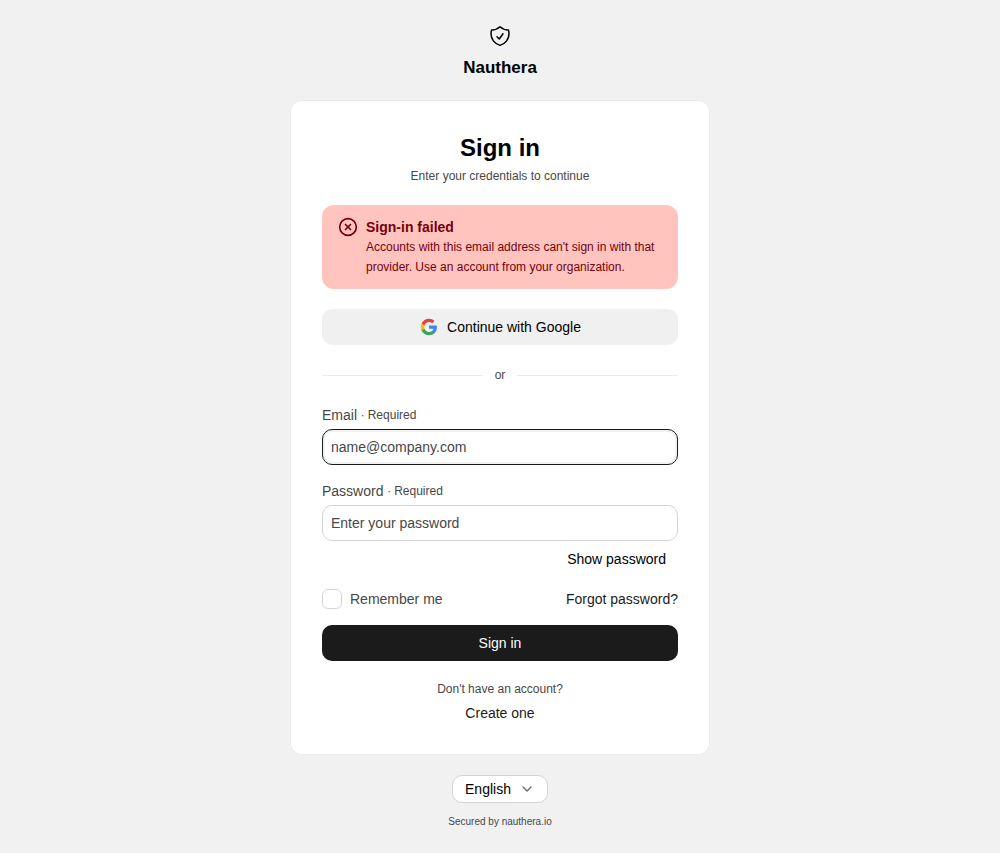
A provider that cannot be reached, or that refuses the token request, is recorded in the audit log with the HTTP status and the provider's error code.
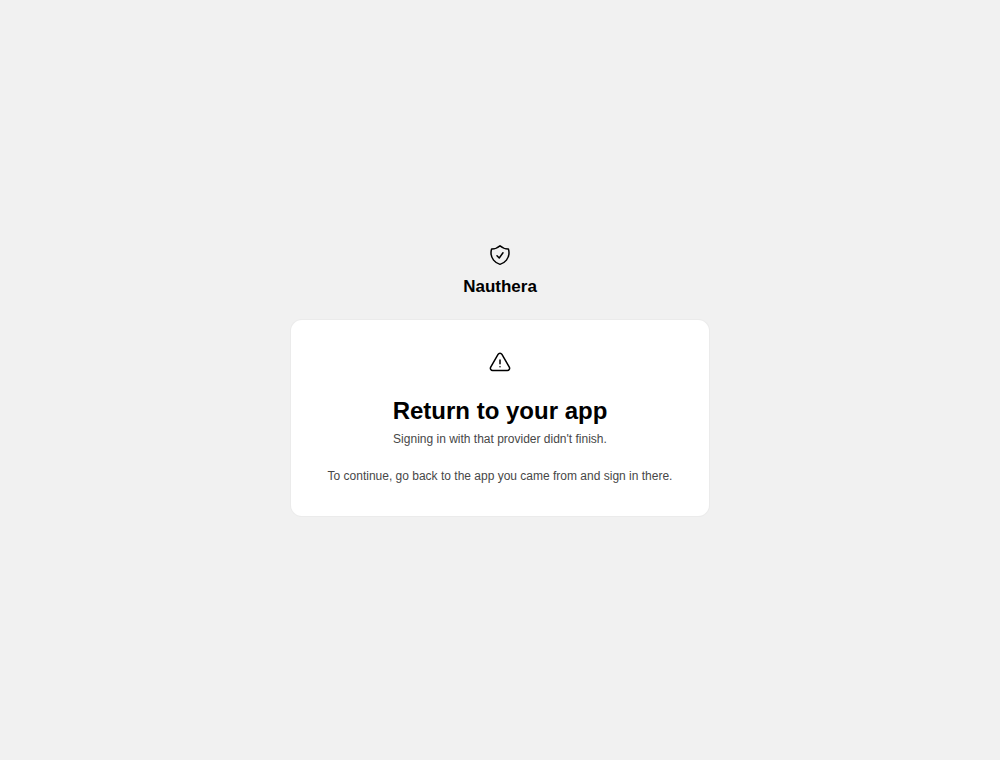
A sign-in has 10 minutes at the provider. An answer that comes back later, or cannot be matched to a sign-in, no longer names the application, so it ends on the return screen:
A provider's issuer must be a public https address: the server refuses loopback and
private addresses for the discovery document, the token endpoint and the keys.