Every feature, on one page
Nauthera is a self-hosted OAuth 2.0 and OpenID Connect identity provider for Kubernetes, written in Go. This is everything it does, grouped the way an evaluation goes. Bring your requirements list: every item links to the docs that describe it.
By Michael Beutler, FounderPublished
- Kubernetes resource kinds, from OAuth clients to the APIs they call
- 8
- features below, each linked to the docs that describe it
- 167
- sign-in languages: English, German and French
- 3
- telemetry: it sends nothing home and checks for no updates
- 0
Identity as code
Your app's sign-in setup ships in its own Helm chart
The OAuth client, the API with its scopes and token claims, the sign-in look and who may sign in are templates beside your Deployment. One helm upgrade ships them with the app, and nobody configures them in a console.
- Reviewed in pull requestsA new scope, claim or redirect URI is a diff your team reviews, beside the code that needs it.
- Values per environmentHostnames, token lifetimes and brands come from values files, so staging and production differ only where you say.
- No console to keep in syncThe dashboard shows clients, APIs, identity providers and branding read-only. The manifests are the setup.
- Ships with every releasehelm upgrade, Argo CD or Flux apply identity changes together with the app that needs them.
storefront/Helm chart
- Chart.yaml
- values.yaml
- values-prod.yamlhostnames and lifetimes per environment
- templates/
- deployment.yamlthe app
- oidcclient.yamlits OAuth client, MFA, who may sign in
- protectedresource.yamlits API, scopes and token claims
- branding.yamlits sign-in look
apiVersion: nauthera.io/v1alpha1
kind: OIDCClient
metadata:
  name: storefront
spec:
  clientId: storefront
  redirectUris:
    - https://{{ .Values.host }}/callback
  grantTypes: [authorization_code, refresh_token]
  tokenEndpointAuthMethod: client_secret_basic
  pkcePolicy: required_s256
  allowRefresh: true
  secret:
    generate: true
  allowedGroups: [customers]
  secondFactor:
required: truehelm upgrade --install storefront ./storefront -n storefront -f values-prod.yamlRelease "storefront" does not exist. Installing it now.NAME: storefrontLAST DEPLOYED: Sun Nov 22 18:20:04 2026NAMESPACE: storefrontSTATUS: deployedREVISION: 1TEST SUITE: Nonekubectl get oidcclients,protectedresources,brandings -n storefrontNAME CLIENTID AUTHMETHOD PHASE READY REASON AGEoidcclient.nauthera.io/storefront storefront client_secret_basic Ready True Registered 9s NAME IDENTIFIER PHASE READY REASON AGEprotectedresource.nauthera.io/orders-api https://api.shop.example.com/orders Ready True Registered 9s NAME CLIENTID PHASE READY REASON AGEbranding.nauthera.io/storefront storefront Ready True Registered 9sAn app that brings its own organization declares that the same way: its user attributes, second-factor policy, network zones and identity providers. GitOps and Helm in the docs
What sets it apart
If you read nothing else on this page, read these three.
01 · Protected APIs
APIs guarded by audience
Register an API from Git. Its tokens name it as their audience, carry its scopes and the user attributes it authorizes on, and go only to the clients that list it.
ProtectedResourceProtectedResourcehr-api- identifier
- https://hr.acme.example/api
- scopes
- hr.employees:read, hr.employees:write
- accessTokenTtlSeconds
- 600
- attributes
- department, cost_center
shapes each tokenAccess tokenfor the HR portal- aud
- https://hr.acme.example/api
- scope
- hr.employees:read
- lives
- 10 minutes at most
- department
- people
- cost_center
- CC-2001
02 · Sign-in
Passkeys, MFA and the directories you have
Passwords, passkeys, OpenID Connect providers, GitHub and LDAP, with a second-factor policy that tightens from the deployment down to each app.
The sign-in experience1Sign in with
PasswordPasskeyOIDC providerGitHubLDAP / AD2Prove it with
Authenticator appPasskeyEmailed code3One policy, tightened at each level
DeploymentOrganizationClient03 · Evidence
An audit log you can check
Every change is hash-chained with signed checkpoints, and one command verifies a month offline. Sixteen threat signals read the same log.
Tamper evidenceaudit — nauthera-server nauthera-server audit verify --month 2026-10 \ --trusted-keys trusted-keys.json --retention 400dAudit log verification of 2026-10, as of 2026-11-02T09:00:00Z …Result: verified, no finding.echo $?0
The full list
15 groups, from the cluster to the audit trail. Filter by a word from your requirements, or jump to a group.
Everything your app needs from sign-in, in its own chart.
The client, the API with its scopes and claims, the sign-in look and who may sign in are templates you version, review and promote like the rest of the app. Nobody sets them up in a console.
- Values per environmentHostnames, redirect URIs, token lifetimes and brands come from values files, so staging and production differ only where you say.In the docs
- The app's OAuth clientRedirect URIs, grants, PKCE, token lifetimes, second-factor policy and allowed groups, in an OIDCClient template.
- The app's API, scopes and claimsA ProtectedResource template declares the audience, the scopes and the user attributes the API's tokens carry.
- The app's sign-in lookA Branding template gives the app its own logos, colours and layout on the hosted pages.
- An organization of its ownAn app with its own tenant declares that too: user attributes, second-factor policy, network zones and its identity providers.
- No console to keep in syncClients, APIs, identity providers and branding are read-only in the dashboard: the manifests are the setup.
- Reviewed in pull requestsA new scope, claim or redirect URI is a diff your team reviews, beside the code that needs it.
- Ships with every releasehelm upgrade, Argo CD or Flux apply identity changes together with the app that needs them.
- Export a client as a manifestThe dashboard shows any client as an OIDCClient manifest, ready to move into a chart.
OAuth clients that ship with the apps that use them.
Declare a client beside its Deployment and review it like any other change. The operator registers it, puts its secret in a Secret, and reports back on the resource, where kubectl and your GitOps tool can see it.
- Secrets written for youThe server mints the client secret and the operator writes it, with the client ID and issuer, into a Secret.In the docs
- 8 resource kindsEvery part of the identity setup is a resource the operator reconciles, applied with kubectl or your GitOps tool.In the docs
- OIDCClient resourcesDeclare an application's OAuth client in YAML beside its Deployment, and apply both together.
- Rotation by deleting the SecretDelete the Secret and the operator fetches a new client secret, revoking the client's grants if you ask it to.
- Bring your own secretReference a Secret you manage, from Sealed Secrets or an external store, instead of a generated one.
- Refused at apply timeSchema rules turn away contradictory clients, such as a public client without PKCE, before they reach the server.
- Drift reported, not overwrittenA client changed outside its manifest is marked Drifted and left alone until you edit the manifest or restore it.
- Status on the resourceEach resource reports Ready, Refused, Drifted or Unreachable, for kubectl wait, dashboards and your GitOps tool.
- Deletion policyRetain by default, or Delete: each manifest decides what removing it does on the server.
- Team roles for Kubernetes RBACClusterRoles for the platform team, the identity team, application developers and viewers, each writing only its own kinds.
- Namespaces map to organizationsAn organization admits namespaces, so a team's manifests configure only the organization that admits them.
- Mutual-TLS control planeThe operator calls the server over gRPC with mutual TLS, and each operator identity is allowed only its kinds and namespaces.
- Argo CD health checksPaste one health check into Argo CD and a refused resource turns its Application Degraded, with the server's reason.
A sign-in people finish, and attackers don't.
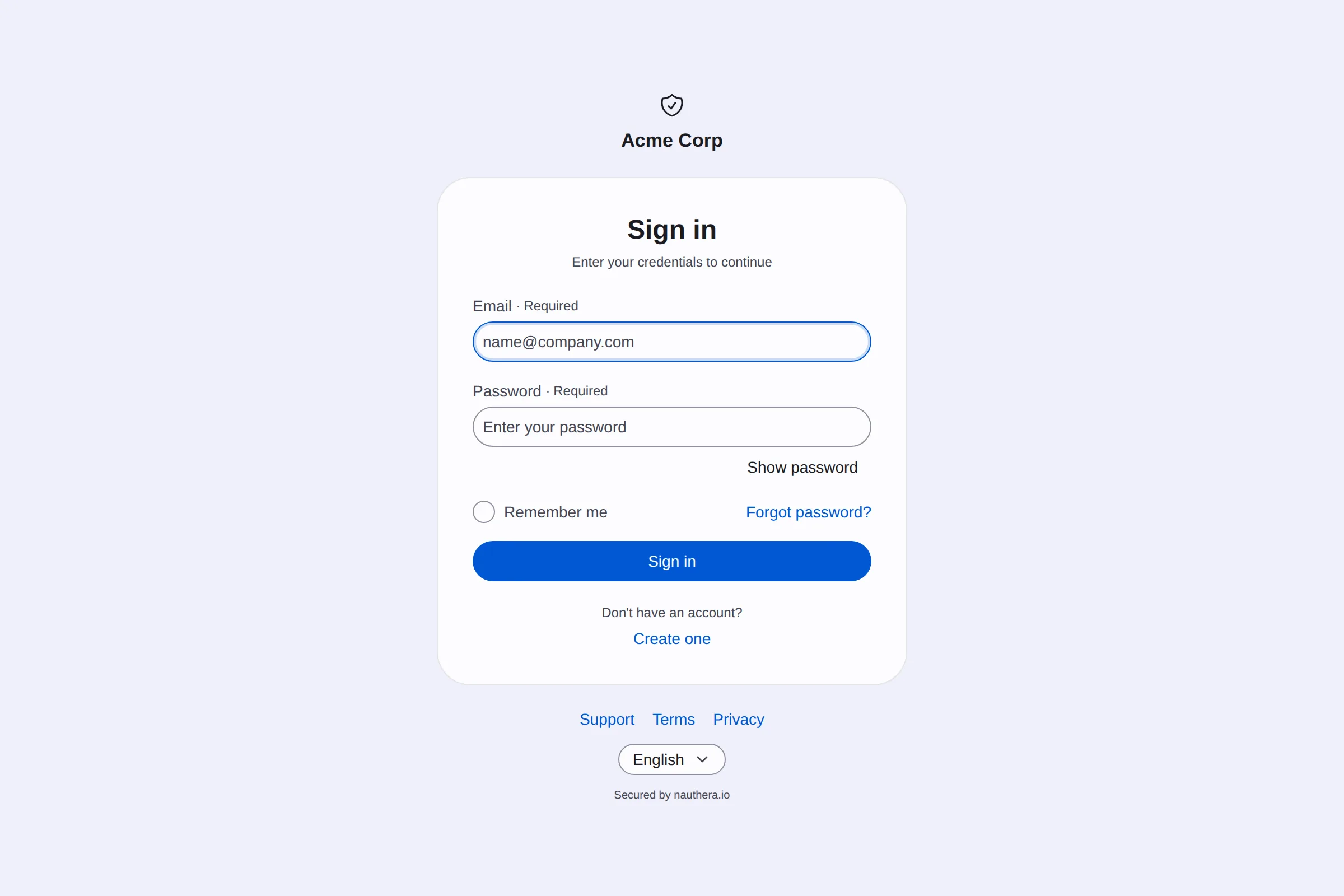
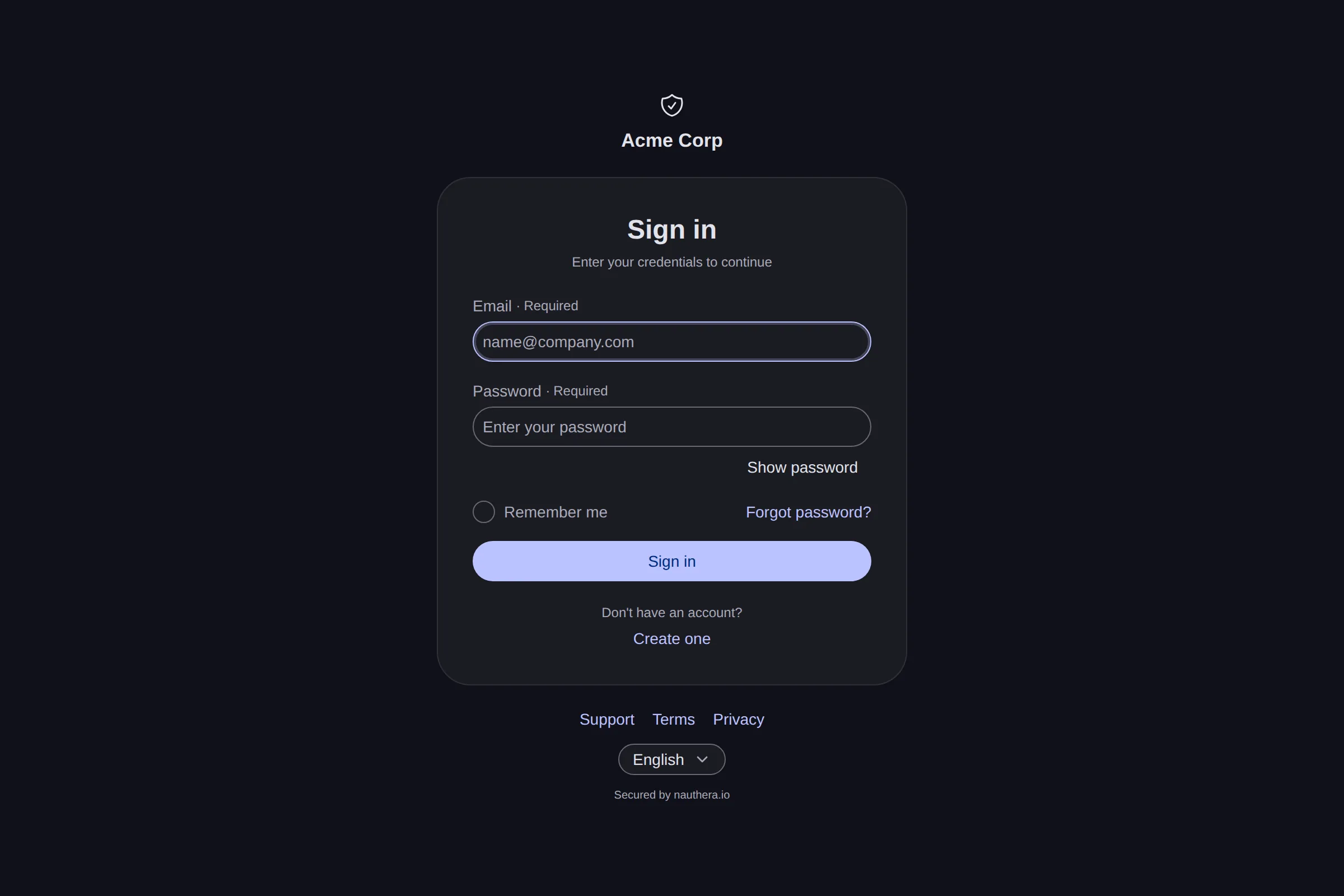
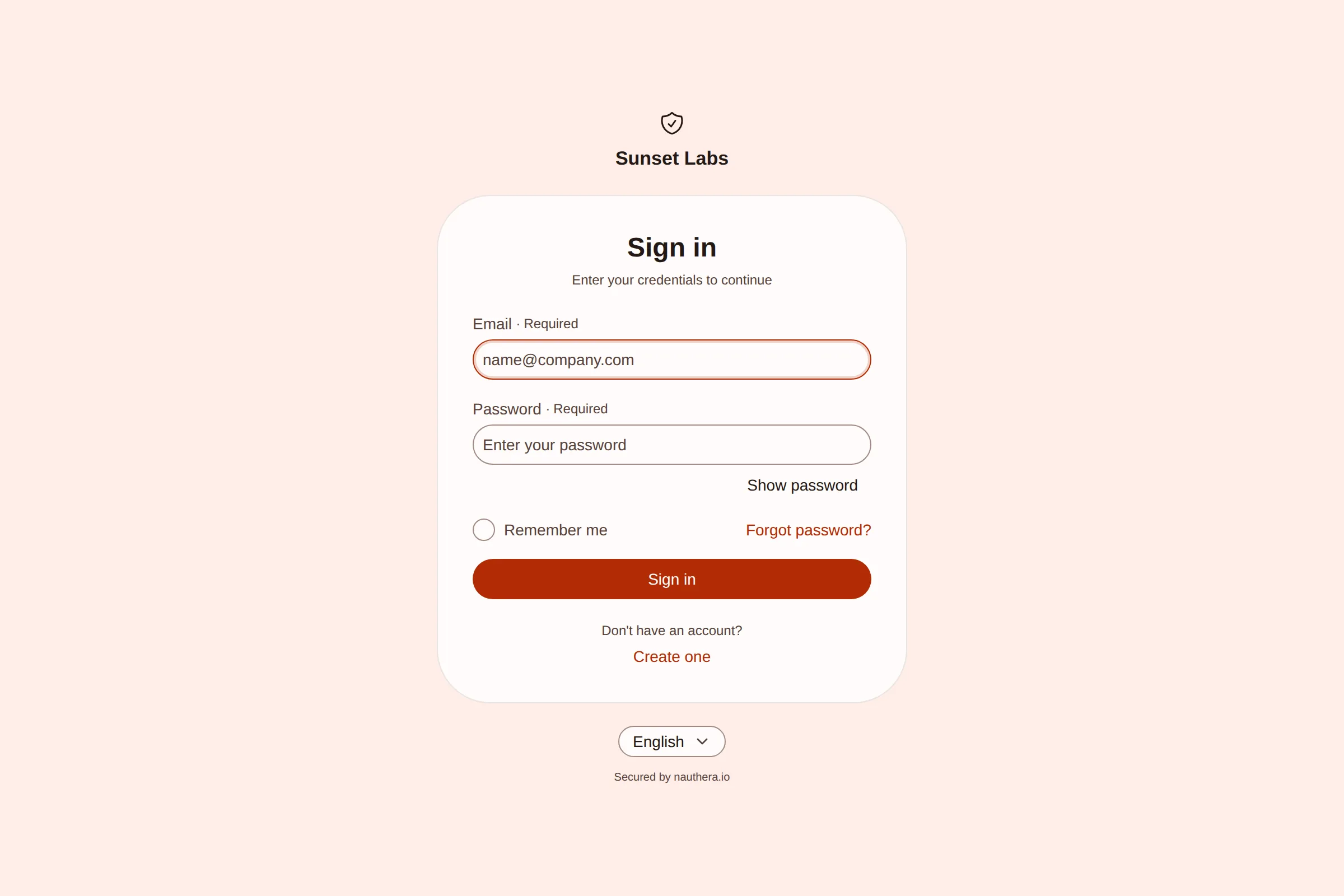
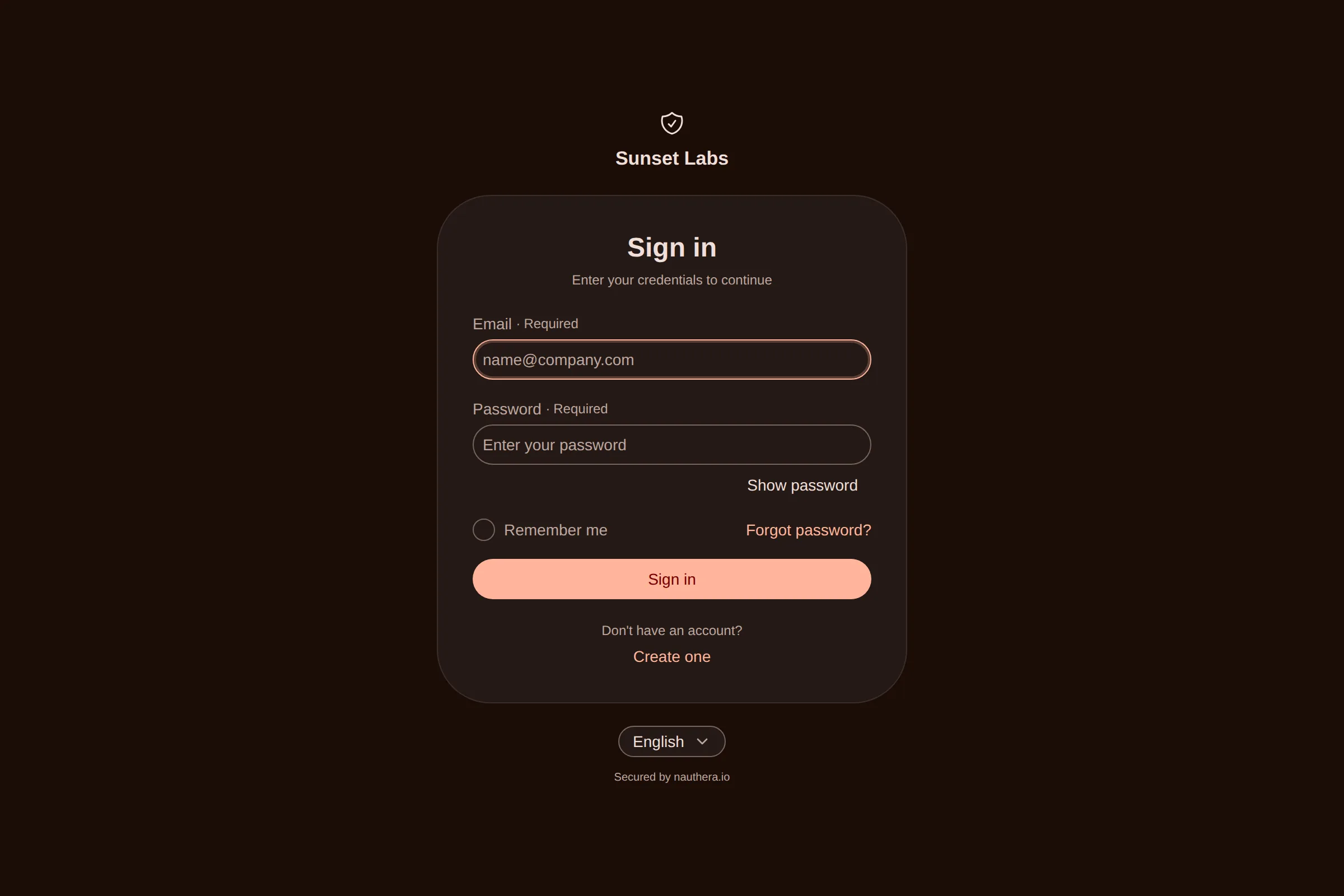
Every screen from sign-up to sign-out is built into the server, in your brand and three languages. Second factors follow one policy you set for the deployment, each organization and each application.
- Your brand, per appLogos, fonts, colours, layout and background for each organization, and overridden for each client.In the docs
- Hosted sign-in pagesSign-in, sign-up, password reset, email verification, invitations, consent, device approval and sign-out, built into the binary.
- Self-service sign-upOpt-inUsers create their own accounts, and an organization can require a verified address before any session.
- PasskeysWebAuthnOpt-inWebAuthn passkeys as a second factor or, where you allow it, for passwordless sign-in.
- Authenticator appsRFC 6238TOTP codes that each work once, with recovery codes as the fallback.
- Emailed one-time codesOpt-inA code sent by email as the second factor, for users without an authenticator app.
- Layered MFA policyDeployment, organization and client decide which factors are offered and required; each level only tightens the one above.
- Mandatory enrolmentWhere a second factor is required, users without one set it up during their next sign-in.
- Network zones and rulesSpare the challenge on trusted networks, or require a factor from outside a zone or a new network or browser.
- Remembered browsersA browser that recently passed the second factor can skip it, for a window you set.
- Captcha when it countsBuilt-in proof-of-work, or Cloudflare Turnstile, hCaptcha or reCAPTCHA; on sign-in only after repeated failures.
- Account lockoutRepeated failures lock an account for a growing time, for known and unknown identifiers alike.
- New-sign-in alertsUsers get an email when they sign in from a browser or network they have not used before.
- English, German and FrenchSign-in pages, emails and the admin dashboard, in the language the app or the browser asks for.
Keep the accounts people already have.
Bring in any OpenID Connect provider, GitHub or your LDAP directory, choose per application which ones it offers, and move users over from Keycloak with their passwords and authenticators.
- Identity brokerOne organization signs users in for many, routing each person by an email domain verified through DNS.In the docs
- OpenID Connect providersGoogle or any other OpenID Connect provider, with discovery, PKCE, nonce and an exact issuer match.
- Sign in with GitHubGitHub accounts through an OAuth App or a GitHub App, for sign-in, sign-up or both.
- LDAP and Active DirectoryRFC 4511Users sign in with their directory password over LDAPS or StartTLS; disabled, locked and expired accounts stay out.
- Directory groups, nested tooA user's groups are read at sign-in through memberOf, nested Active Directory groups or a search.
- Provider choice per appEach client offers the providers and directories it names, for sign-in, sign-up or both, limited to email domains you list.
- Account linkingOpt-inWhere you trust a provider's addresses, a verified email links to the existing account instead of creating a second one.
- Upstream MFA honouredOpt-inA provider's own multi-factor sign-in can stand in for the second factor.
- Groups from your directoryDirectory groups and email domains fill groups automatically; administrators add members by hand.
- Keycloak user importUsers arrive with their passwords, authenticator apps, group memberships and linked accounts, so nobody starts over.
- Side-by-side migrationMove one application at a time while your current provider keeps running.
Standard protocols, so your frameworks work as they are.
Nauthera speaks OAuth 2.0 and OpenID Connect the way your libraries expect, from the authorization code flow to logout, with every organization its own issuer.
- Rotating refresh tokensEvery refresh issues a new token; a replayed one revokes its whole family. Families end after 90 days by default.In the docs
- Authorization code with PKCERFC 7636S256 only, required for every public client and by default for confidential ones.
- Client credentialsTokens for services and jobs that call your APIs on their own behalf.
- Device authorization grantRFC 8628Sign in on TVs and command-line tools: users approve the code in the hosted pages.
- Discovery and JWKSRFC 8414A discovery document and key set for each organization, also at the path-inserted location RFC 8414 defines.
- JWT access tokensRFC 9068Signed at+jwt access tokens your APIs validate locally, with groups, roles and organization claims.
- ID tokens and UserInfoOIDC CoreStandard profile and email claims, groups and declared attributes, released by scope; UserInfo as JSON or signed JWT.
- Dynamic client registrationRFC 7591, 7592Third-party software registers and manages its own client, behind an initial access token.
- Logout that reaches every appOIDC LogoutRP-initiated, back-channel and front-channel logout, with the session ID in every ID token.
- Remembered consentUsers approve what a third-party app may access once; clients you register count as approved.
- Introspection and revocationRFC 7662, 7009APIs introspect access tokens, and clients revoke refresh tokens together with their grant.
- Authorization parametersprompt, max_age, login_hint, ui_locales and the claims parameter, as OpenID Connect defines them.
Your APIs, registered from Git and guarded by audience.
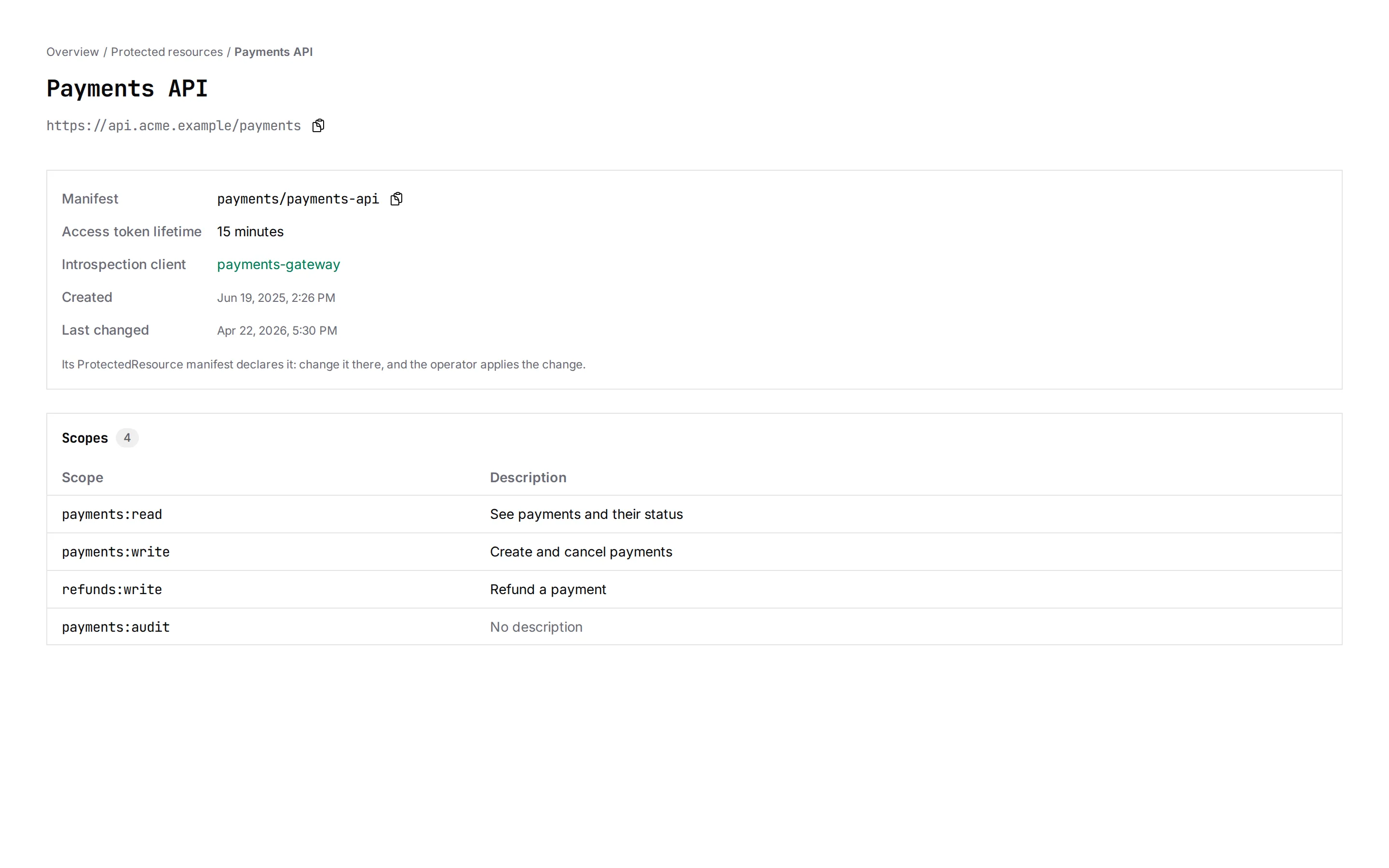
A ProtectedResource declares an API beside its code: the audience its tokens name, its scopes, how long they live, the user attributes they carry, and which services may ask for them.
- ProtectedResourceRegister an API from Git: its audience, scopes, token lifetime, introspection client and the user attributes its tokens carry.In the docs
- Audience-restricted tokensRFC 8707A token names the APIs it was requested for in aud, up to eight, and lives as long as the shortest allows.
- Only the APIs a client listsOnce an API is registered, a client gets tokens only for registered APIs its OIDCClient lists, checked again at every mint.
- An identifier range per teamEach team registers APIs only under the prefixes its namespace was given, so no team can claim another's audience.
- Token lifetime per APICap the API's access tokens anywhere from 30 seconds to 24 hours, whatever the calling client's own lifetime.
- User attributes in its tokensSelect up to 16 declared attributes, such as a department or plan, so the API authorizes without calling UserInfo.
- Applications that write attributesGrant one backend, such as an HR sync job, write access to named attributes, without any admin role.
- Introspection per APIRFC 7662Name a confidential client the API introspects its tokens as, to notice a revoked grant before a token expires.
- Scopes with translated descriptionsUp to 64 scopes per API, each described in several languages, shown in the dashboard in the viewer's language.
- MCP serversRFC 9728A remote MCP server is a ProtectedResource too; MCP clients find Nauthera from the metadata the server publishes.
Hardened defaults, and stricter modes when you need them.
Bind tokens to the client that asked for them, keep authorization requests off the front channel, and hold an organization to FAPI 2.0 or FIPS 140-3 algorithms with one setting.
- DPoP-bound tokensRFC 9449Tokens bound to the client's key with server nonces, so a stolen token is useless anywhere else.In the docs
- Pushed authorization requestsRFC 9126Request parameters travel server to server; require them for every client if you like.
- Signed request objectsRFC 9101Authorization requests signed by the client, sent by value or from a registered request URI.
- private_key_jwtRFC 7523Clients authenticate with a signed assertion instead of a shared secret, from a JWKS URI or inline keys.
- Issuer in every responseRFC 9207Authorization responses name their issuer, so a client can tell mixed-up responses apart.
- FAPI 2.0 modeOpt-inPer organization: pushed requests, S256 PKCE and ES256 for every client, and short-lived codes.
- FIPS 140-3 modeOpt-inPer organization or deployment: only approved algorithms, on a server built with a FIPS module.
- Signing keys per organizationES256 and RS256 keys for each organization; tenant keys rotate without a restart and stay published until tokens expire.
- Exact redirect URIsRedirect URIs match exactly: no wildcards, no prefixes.
Safe settings are the only ones it starts with.
The server refuses to run a production issuer on unsafe settings, seals what it stores, checks every outbound call, and throttles anyone who guesses.
- Startup guardsA production issuer will not start without HTTPS, Redis, persistent keys or mutual TLS on its control plane.In the docs
- Envelope encryptionTenant signing keys, provider secrets, LDAP passwords and queued email are sealed with AES-256-GCM under your key.
- argon2id passwordsPasswords are hashed with argon2id, and generated client secrets are kept only as hashes.
- Password policyLength limits and a list of common passwords by default, and a Pwned Passwords check if you turn it on.
- Outbound request guardFetched keys, request objects and logout calls must use HTTPS and never reach private addresses.
- Rate limitingA request budget per client address on every public endpoint, kept in memory or shared through Redis.
- Brute-force throttlingSeparate caps on sign-in attempts per address and per identifier, and on second-factor guesses.
- Strict HTTP headersA restrictive Content-Security-Policy, framing denied, no referrer, and __Host- session cookies by default.
- Three separate listenersPublic traffic, metrics and probes, and the control plane each have their own port; metrics are never public.
- Hardened podsThe chart runs non-root with a read-only root filesystem, every capability dropped and a seccomp profile.
- Network policiesOpt-inNetworkPolicy for the server, and NetworkPolicy or CiliumNetworkPolicy for the operator.
One server, many tenants, nothing shared between them.
Each organization is its own issuer with its own keys, users, sessions and audit log. Groups and typed attributes decide what each application learns about a user, and who may sign in to it.
- OrganizationsEach with its own issuer, signing keys, users, sessions and audit log; sessions never cross organizations.In the docs
- A main organizationPlatform staff in the main organization govern the rest; tenant administrators see only their own.
- Organizations as manifestsDeclare an organization, its namespaces and its policy with an Organization resource.
- Policy per organizationSecond factors, network zones, email verification, user attributes and branding, set for each organization.
- Session limitsCap how many sessions one user may hold in an organization.
- Email relay per organizationEach organization can send its mail through its own SMTP relay.
- Groups and the groups claimGroups filled from directories, email domains or by hand, released to applications as a groups claim.
- Access by groupLimit each application to members of the groups you name.
- Typed user attributesText, boolean, integer, date or enum attributes, released by scope, carried in an API's tokens, writable by apps you grant.
- Account statusActive, suspended or blocked, enforced at sign-in and on every token grant.
- InvitationsInvite users by email; the link sets their password and verifies their address.
See everything, and change it with a reason.
An admin dashboard for each organization, over a REST API where every call needs an OAuth scope and a permission. Every change asks for a reason, and the audit log keeps it.
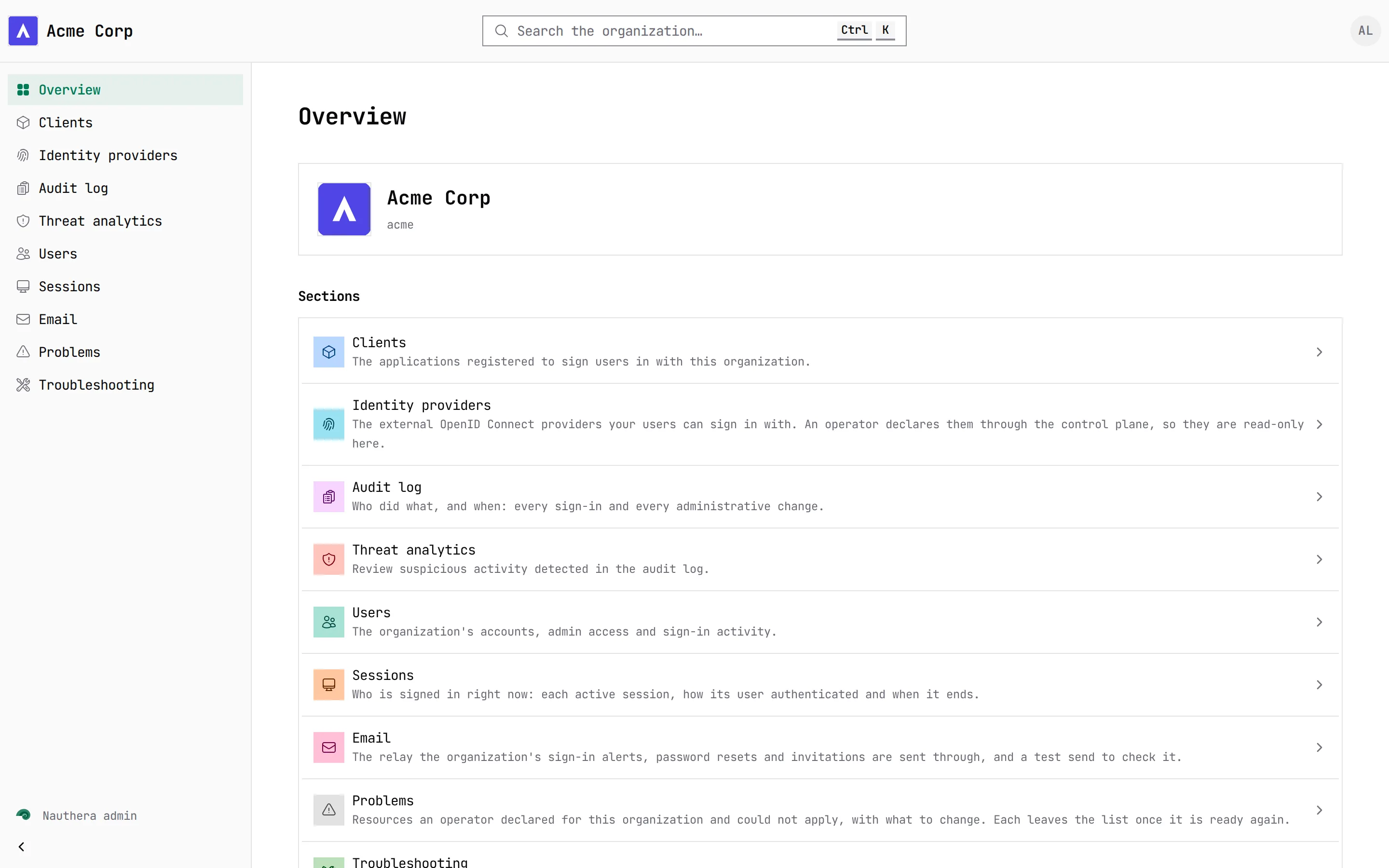
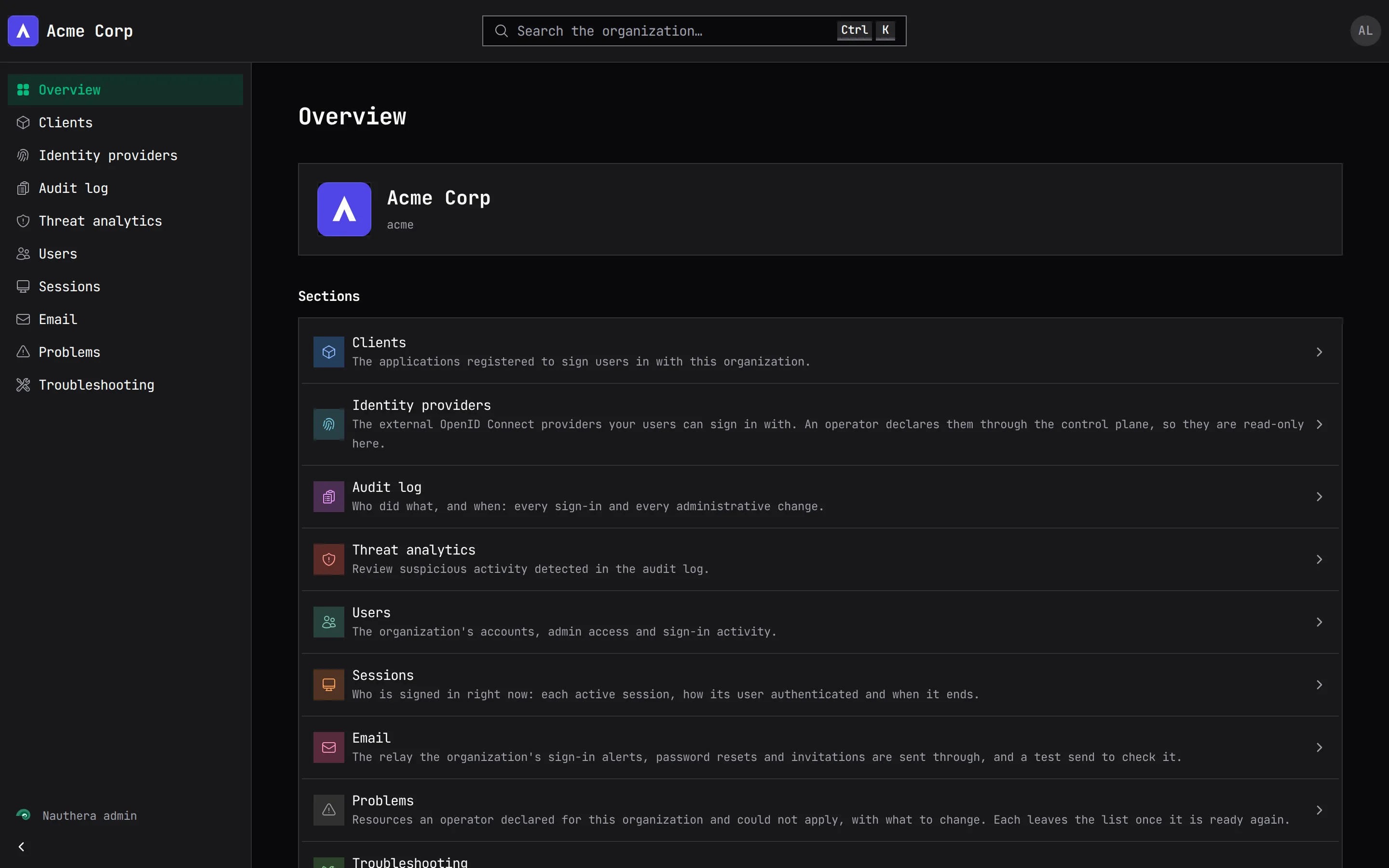
- Admin dashboardClients, APIs, users, groups, sessions, providers, directories, branding, network zones, email, audit log and threats.In the docs
- Problems pageEvery resource the operator could not apply, with the reason, in one list.
- Troubleshooting by referencePaste the reference ID a user saw and get the failed request explained.
- User administrationCreate, invite, suspend, block or delete users, send password resets and end sessions, each with a recorded reason.
- Eight built-in rolesFrom org-viewer to platform-owner; a caller can grant only roles its own roles cover.
- Admin REST APIUsers, clients, groups, sessions, audit and more, described by an OpenAPI document.
- Scope and permission checksEach API call needs an OAuth scope and an RBAC permission, with roles read fresh on every request.
- Cursor paginationOpaque cursors, sorting on several fields at once, and count endpoints for the lists.
- Setup code per clientEach client in the dashboard comes with a setup guide and code for common libraries.
- nauthera-cliCreate organizations, clients and identity providers from a terminal for local development.
Evidence you can verify yourself.
Every sign-in and every change lands in a hash-chained log with signed checkpoints, and one command checks it offline. The same log feeds sixteen threat signals.
- Hash-chained audit logRecords are chained with SHA-256, so a changed, deleted or reordered row shows up.In the docs
- Threat analyticsSixteen attack signals counted from the audit log and judged against published thresholds.In the docs
- Signed checkpointsEd25519-signed checkpoints every minute, in the database and the application log, with a key cert-manager can issue.
- Offline verificationnauthera-server audit verify checks a month read-only, trusting only the keys you hand it.
- Events that cannot be suppressedSign-ins, role grants, removed second factors and audit reads are recorded whatever the log level.
- Append-only database roleOpt-inThe server's own database role may only read and insert audit rows.
- 400-day retentionMonthly partitions kept for 400 days by default, then dropped.
- ForwardingOpt-inEvery record as JSON Lines for your log shipper, in order and at least once.
- Search and filtersFilter down to one request, trace or user, with personal data withheld from readers without access to it.
- Attack-shape detectionNames credential cracking, password spraying or credential stuffing, and ranks the addresses and accounts behind it.
- Threat alertsEvery signal as a Prometheus metric, with alert rules for elevated and critical rates.
- Event catalogEvery audit action with its fields and outcomes, documented.
Runs like the rest of your platform.
One static binary on PostgreSQL and Redis, with Prometheus metrics, OpenTelemetry traces and a runbook behind every alert. It sends no telemetry.
- A runbook per alert and errorMeaning, impact, diagnosis, mitigation and escalation, also printed offline by the server itself.In the docs
- One static binaryProtocol endpoints, sign-in pages, admin dashboard and admin API, all served by one Go binary.
- PostgreSQL and RedisPostgreSQL holds the state; Redis runs standalone, with Sentinel or as a cluster, over TLS.
- Built-in migrationsForward-only, checksummed schema migrations, run under a lock by the server or a maintenance job.
- Prometheus metricsRequest, database, cache, audit, threat and operator metrics, on an internal port.
- Alert rules in the chartOpt-inA PrometheusRule from availability and latency to certificates and the operator, each alert linked to its runbook.
- OpenTelemetry tracingOpt-inTraces over OTLP, with the trace ID in every log line.
- Structured logsJSON logs carrying request and trace IDs.
- Health probesLiveness, readiness and startup endpoints, and a healthcheck command for the image.
- Graceful shutdownDrains requests and flushes the audit log before exiting, ordered for rolling updates.
- Durable email outboxMail is queued in the database and retried, so a relay outage delays email instead of losing it.
- cert-manager integrationcert-manager issues the serving and mutual-TLS certificates and the signing and audit checkpoint keys.
- Ingress or Gateway APIExpose the server through an Ingress or a Gateway API route.
- No telemetryIt sends nothing home and checks for no updates.
Releases you can verify before you run them.
Every image and chart is scanned, signed and public. The tests behind each release run against real binaries, a real cluster and the OpenID Foundation's own suite.
- Signed images and chartSigstoreThe server and operator images and the Helm chart are signed keyless with cosign.In the docs
- Pinned by digestThe chart pins both images by digest, so what you verified is what runs.
- SBOM and provenanceEach image carries a software bill of materials and a build provenance attestation.
- Scanned before releaseImages are scanned with Trivy, and a fixable high or critical finding stops the release.
- Minimal imageA static binary on a scratch image, running as a non-root user.
- amd64 and arm64Every image is built for both architectures.
- Public on GHCRPull the images and chart from the GitHub Container Registry; every version is listed with its downloads.
- OpenID Foundation suiteThe foundation's conformance suite runs its OpenID Connect plans against every release.
- Tested on KubernetesCI runs the operator against a real server on a kind cluster.
- Browser end-to-end testsPlaywright signs in through the hosted pages against the real server binaries.
- Fuzzed inputsRedirect URIs, PKCE parameters, the session cookie and request bodies are fuzzed in CI.
Developers find out where they deploy, not in a ticket.
A client that is not allowed is refused at kubectl apply, or comes back on the resource with the server's reason, field by field. Framework guides, prompts and machine-readable docs cover the rest.
- Feedback where you deploykubectl refuses a contradictory client at once, and the server's objection to anything else comes back on the resource.In the docs
- Docs for AI assistantsllms.txt, a Markdown copy of every page, and an MCP server that searches the docs and validates manifests.In the docs
- Every objection names its fieldThe Ready condition's message names each refused field and the generation the server still holds.
- A bad push keeps sign-in upA refused change leaves the last accepted version in force, so the app keeps signing users in.
- A runbook for every refusalEvery reason a resource can report has a runbook: what it means and what to check.
- Check manifests before you pushThe docs MCP server validates a manifest as kubectl apply would, from your editor or assistant.
- Framework guidesBetter Auth, Spring Boot, Go and ASP.NET Core, from an empty project to working sign-in.
- Protect an APIRegister an API as a ProtectedResource from Git and validate its tokens.
- Argo CD and GrafanaStep-by-step sign-in for both, with roles mapped from groups.
- Any app, step by stepThe protocol walked through with curl, for any language or framework.
- Quick start on kindThe published chart on a local cluster, then a real sign-in through it.
- API referenceEvery endpoint, generated from the server's OpenAPI document.
- AI promptsCopy-ready prompts for Claude Code, Cursor or Copilot to evaluate, install, integrate and debug.
Guardrails that hold for every team, without a ticket queue.
Security sets the rules once, for the deployment and each organization. Every team's manifests are held to them on the way in, and every change lands in the audit log.
- Guardrails on the way inSchema rules, the server's checks and your policy each stand between a team's manifest and production.In the docs
- Policy apps can only tightenSecond-factor rules set for the deployment and organization hold for every app; a client may only add to them.
- Unsafe clients refusedPublic clients without PKCE, plain-http redirect URIs and lifetimes beyond the server's limits are refused.
- Hardening suggestions per clientThe dashboard flags optional PKCE, long token lifetimes or a missing back-channel logout URI on each client.
- Lookalike client names flaggedDisplay names built to mislead users are flagged, and counted as a threat signal.
- Every change on the recordChanges made through the operator land in the hash-chained audit log, like every other change.
- Review by code ownersEach kind's files can belong to a code owner, so an identity change needs the right reviewer.
Check it without asking us
The images, the chart, the docs and the API reference are public. Pull a release and hold it to this page.
- StandardsEach OAuth 2.0 and OpenID Connect specification with its exact status, and the OpenID Foundation suite's results.
- API referenceEvery endpoint, generated from the server's OpenAPI document on each build.
- RunbooksMeaning, impact, diagnosis and mitigation for every alert and error code.
- DownloadsThe signed server and operator images and Helm chart, public on GHCR.
- Quick startThe published chart on a local kind cluster, then a real sign-in through it.
- ChangelogWhat changed in each release, newest first, read from the server's releases.
Something on your list is not here? The FAQ and the docs answer the rest.
Release updates
Hear when the operator ships
One email when the operator ships. No newsletter.
By joining, you agree to our Privacy Policy and Terms.
Design partners
Apply for a design-partner seat
Five teams get calls with the founder, a say in the operator's design, and direct support when they pilot it.